Skills#
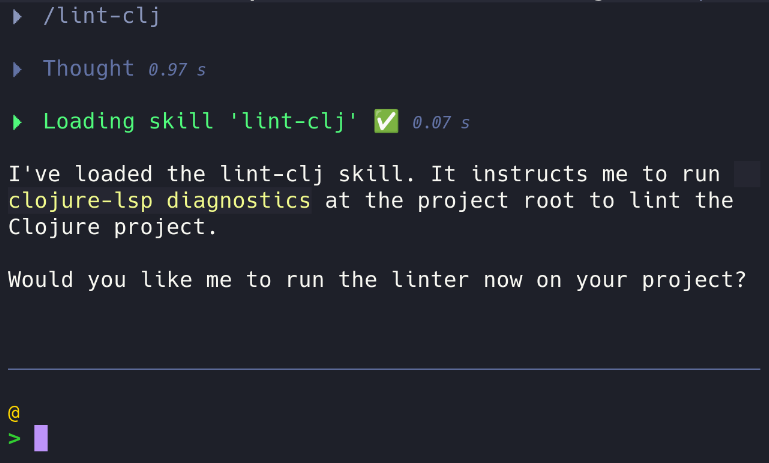
Skills are folders with SKILL.md which teachs LLM how to solve a specific task or gain knowledge about it.
Following the agentskills standard, ECA search for skills following ~/.config/eca/skills/some-skill/SKILL.md and .eca/skills/some-skill/SKILL.md which should contain name and description metadatas.
When sending a prompt request to LLM, ECA will send only name and description of all available skills, LLM then can choose to load a skill via eca__skill tool if that matches user request.
Check the examples:
---
name: lint-fix
description: Learn how to lint and fix the code
---

# Instructions

Run `clojure-lsp diagnostics` to lint the code
---
name: gif-generator
description: Knowledge and utils to create gifs. Provide concepts and scripts, use when requested to create gifs.
---

- Use scripts/gif-generate.py passing gif name and dimensions.
- <More complex instructions here>
...
from PIL import Image
# Python code that generates a gif here
....
It's possible to control which skills LLM have access globally or for a specific agent.
You just need to define a tool call approval for the eca__skill for a specific skill name:
Example disabling all skills but one for an agent
{
  "toolCall": {
    "approval": {
      "deny": {
        "eca__skill": {}
      }
    }
  },
  "agent": {
    "reviewer": {
      "toolCall": {
        "approval": {
          "allow": {
            "eca__skill": {"argsMatchers": {"name": ["my-skill"]}}
          }
        }
      }
    }
  }
}
You can have more directories and contents like scripts/, references/, assets/ for a skill making it really powerful, check the spec for more details.