Commands#
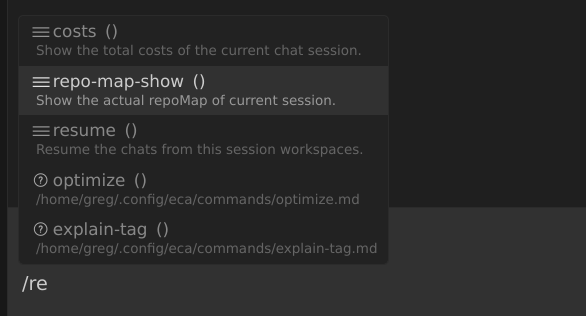
You can configure custom command prompts for project, global or via commands config pointing to the path of the commands.
Prompts can use variables like $ARGUMENTS, $ARG1, ARG2, to replace in the prompt during command call.
You can configure in multiple different ways:
A .eca/commands folder from the workspace root containing .md files with the custom prompt.
Check for performance issues in $ARG1 and optimize if needed.
ECA will make available a /check-performance command after creating that file.
A $XDG_CONFIG_HOME/eca/commands or ~/.config/eca/commands folder containing .md files with the custom command prompt.
Check for performance issues in $ARG1 and optimize if needed.
ECA will make available a /check-performance command after creating that file.
Just add to your config the commands pointing to .md files that will be searched from the workspace root if not an absolute path:
{
  "commands": [{"path": "my-custom-prompt.md"}]
}
ECA will make available a /my-custom-prompt command after creating that file.